A website redesign is one of the most visible investments an organization can make. Done well, it improves credibility, makes services easier to understand, and turns more visits into calls, forms, and booked consultations. Done in a hurry, it can erase search visibility, break tracking, and leave visitors more confused than before.
Before you choose colors or review layouts, take time to review the foundations. These seven areas help your team make better decisions and avoid the most common redesign problems.
1. Start With Clear Business Goals
Every redesign decision should connect to a measurable goal. “We want a modern website” is a starting point, not a goal. Define what the new website must accomplish and how you will know it is working.
- Which audiences matter most, and what do they need to find quickly?
- Which actions count as success: calls, form submissions, tour requests, donations, or purchases?
- Which services or locations deserve more visibility?
- What is not working on the current website today?
Write these goals down and share them with everyone involved. They become the filter for design, content, and development decisions.
2. Audit Your Current Content
Your existing website likely contains pages that still perform well, pages that need updates, and pages nobody visits. A content audit helps you decide what to keep, improve, merge, or remove.
| Decision | When it applies | What to do |
|---|---|---|
| Keep | The page is accurate, useful, and brings traffic or leads. | Move it to the new design and refresh its layout. |
| Improve | The topic matters, but the copy is thin, outdated, or hard to scan. | Rewrite it with a clearer structure and call to action. |
| Merge | Several pages cover the same topic. | Combine them into one stronger page and redirect the old URLs. |
| Remove | The page is outdated and has no traffic or links. | Retire it and redirect it to the closest relevant page. |
3. Protect Your Search Visibility
Search rankings are earned over time, and a redesign can undo that progress if URLs, content, and technical signals change without a plan. Search engines need to understand where each page moved and why the new version is still relevant.
Map every important URL
Export the pages that receive organic traffic, backlinks, or conversions. For each one, decide its new URL and set up 301 redirects before launch.
Keep what search engines rely on
Carry over page titles, meta descriptions, headings, internal links, and structured data where they still make sense. Improve them where they do not.
A redesign should make your best pages stronger, not make search engines start over.
4. Review Accessibility and Mobile Experience
Many visitors will see your website on a phone first, and some will use assistive technology. Accessibility and mobile usability belong in the plan from day one, not in a final round of fixes.
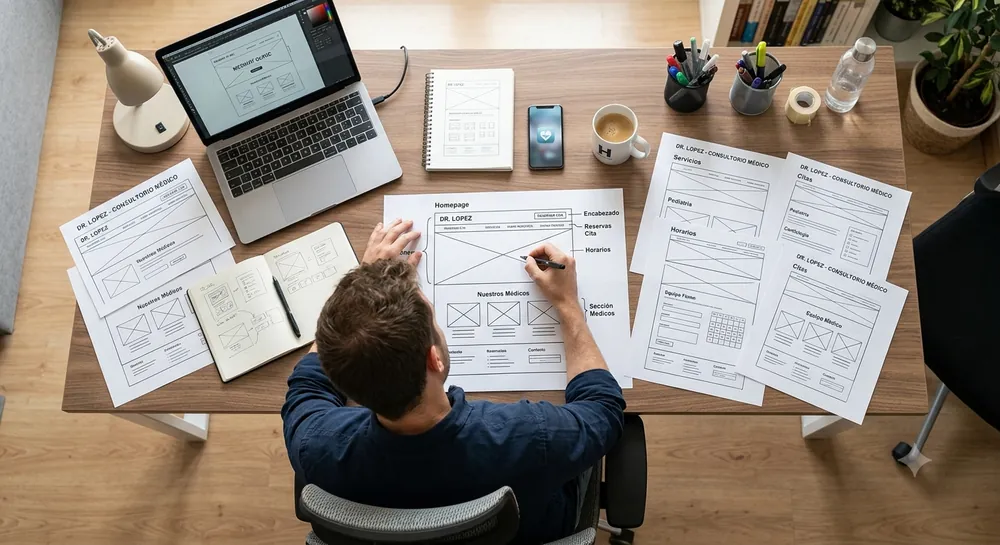
Check color contrast, heading structure, keyboard navigation, form labels, image alternative text, and tap target sizes. Test real pages on real devices, not only desktop mockups.
5. Map Your Conversion Paths
A beautiful page that does not guide visitors to the next step is a missed opportunity. For each key audience, map the path from the first visit to the first conversation.
- Identify the pages where each audience usually arrives.
- Decide the single most useful next step on each of those pages.
- Remove distractions between the visitor and that step.
- Keep forms short and ask only for the information you truly need.
6. Plan Integrations and Tracking
Forms, CRMs, scheduling tools, chat, analytics, and advertising pixels all need to work on day one. List every integration on the current website, confirm which ones you still need, and test them before launch.
Set up conversion tracking for calls, forms, and other key actions so you can compare performance before and after the redesign.
7. Set a Realistic Timeline and Launch Plan
Content is usually the step that takes the longest. Assign owners, deadlines, and approval steps early. Before launch, review a staging version, test forms and redirects, and agree on who monitors the website during the first weeks.
If you are ready to move forward, learn about our website redesign services and custom website design process, or read our guide on how much a website costs to plan your budget.
Final Thoughts
A successful redesign balances a better experience with everything your current website already does well. If you want a second set of eyes on your plan, our team can review your goals, content, and search performance before the design work begins. Learn more about our website redesign services.